
Workspaces and projects
A workspace is a local folder where you work. An agent project is a source folder marked by a valid sapiom.json. A session is one Claude Code or Codex process and conversation rooted in an absolute working directory. None of those local objects is itself a deployed agent or production run.
The Add menu has one session action and three workspace doors.
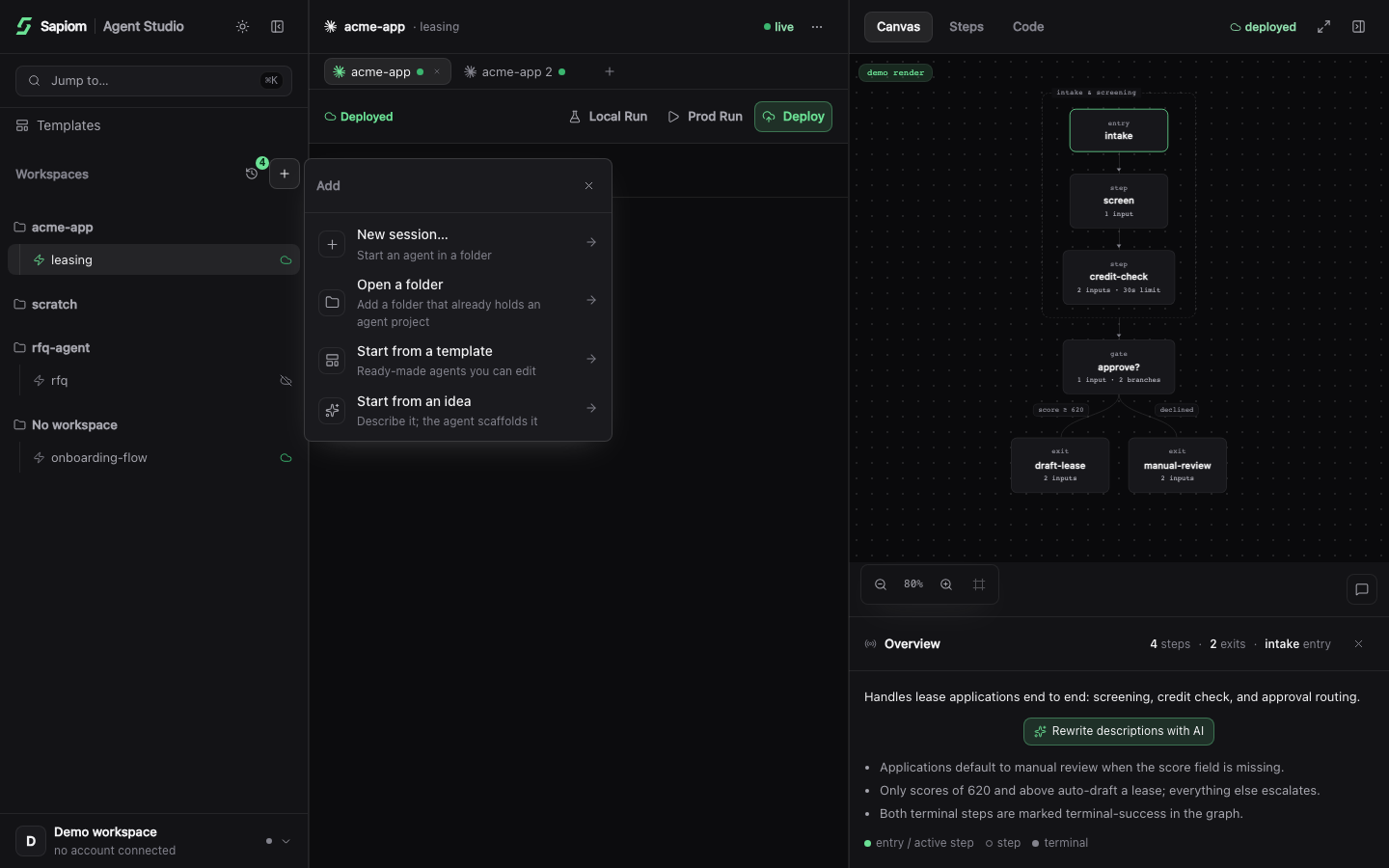
The leading New session action opens another conversation; the next three actions add or create workspace content.
Open a folder
Section titled “Open a folder”Choose Open a folder when the files already exist. Studio can handle three outcomes:
| Selected folder | What Studio does |
|---|---|
| It is an agent project | Registers the project in the rail. |
| It contains discoverable agent projects | Scans the folder and registers the projects it finds. |
| It is an ordinary folder | Remembers the folder as a workspace so you can create an agent later. |
Opening, registering, or scanning a folder does not edit its files and does not start a coding agent on its own. Starting the resulting session is the separate action that launches your selected coding agent. The chooser can identify the selected folder and its immediate children before you confirm; the registry scan described below is the authoritative result.
Start from a template
Section titled “Start from a template”Studio has two template sources with different boundaries:
Studio requires a signed-in Sapiom account for both template sources. The live gallery additionally needs network access to Sapiom. Bundled starter source ships locally, although its setup can still access npm.
| Source | Requirements | Result |
|---|---|---|
| Live gallery | Sapiom sign-in and network access to Sapiom | Forks and clones the selected repository into the destination. |
| Bundled starters | Sapiom sign-in; no Sapiom capability request | Scaffolds the shipped default or coding-pause starter. Setup can still access npm for current packages and dependency installation. |
Choose a new or empty destination. Studio may create its private .sapiom/ state directory before the project arrives; that directory is safe and expected. A live repository that already contains a reserved .sapiom/ directory cannot be cloned into this layout.
Both paths create a session and ask your selected coding agent to do the clone or scaffold. Start session confirms the handoff; it does not mean the project is already complete. Wait for the coding agent to finish its work and package installation before you run a check.
Start from an idea
Section titled “Start from an idea”Choose Start from an idea when you want Claude Code or Codex to create the first version. Describe the outcome, review the derived folder name, and change the projects root if needed. Studio creates the destination, starts a session there, and passes your idea to the selected coding agent with Sapiom MCP already configured.
This is an agent-assisted build, not a deterministic template expansion. Review the generated files and run the normal check and local test before treating the project as ready.
What discovery recognizes
Section titled “What discovery recognizes”Studio recognizes a project when sapiom.json parses as a valid top-level JSON object. An empty object is a valid unlinked marker; malformed JSON, arrays, strings, numbers, and null are not.
For a workspace scan, Studio checks the root plus three nested directory levels. It stops descending when it finds a project, so a second project nested below a marked parent is not included in that scan. It skips directories named node_modules, .git, .sapiom, dist, build, and .next, and does not follow symbolic links to directories.
A deeper project is still usable: open that project folder directly. Studio also lets you connect an ordinary folder deliberately, even before it has sapiom.json.
Rail, focus, and binding
Section titled “Rail, focus, and binding”The rail groups projects under folders inferred from session working directories. A registered project with no containing session folder appears under No workspace until you open an appropriate folder or session. Studio can show more than one session for an agent.
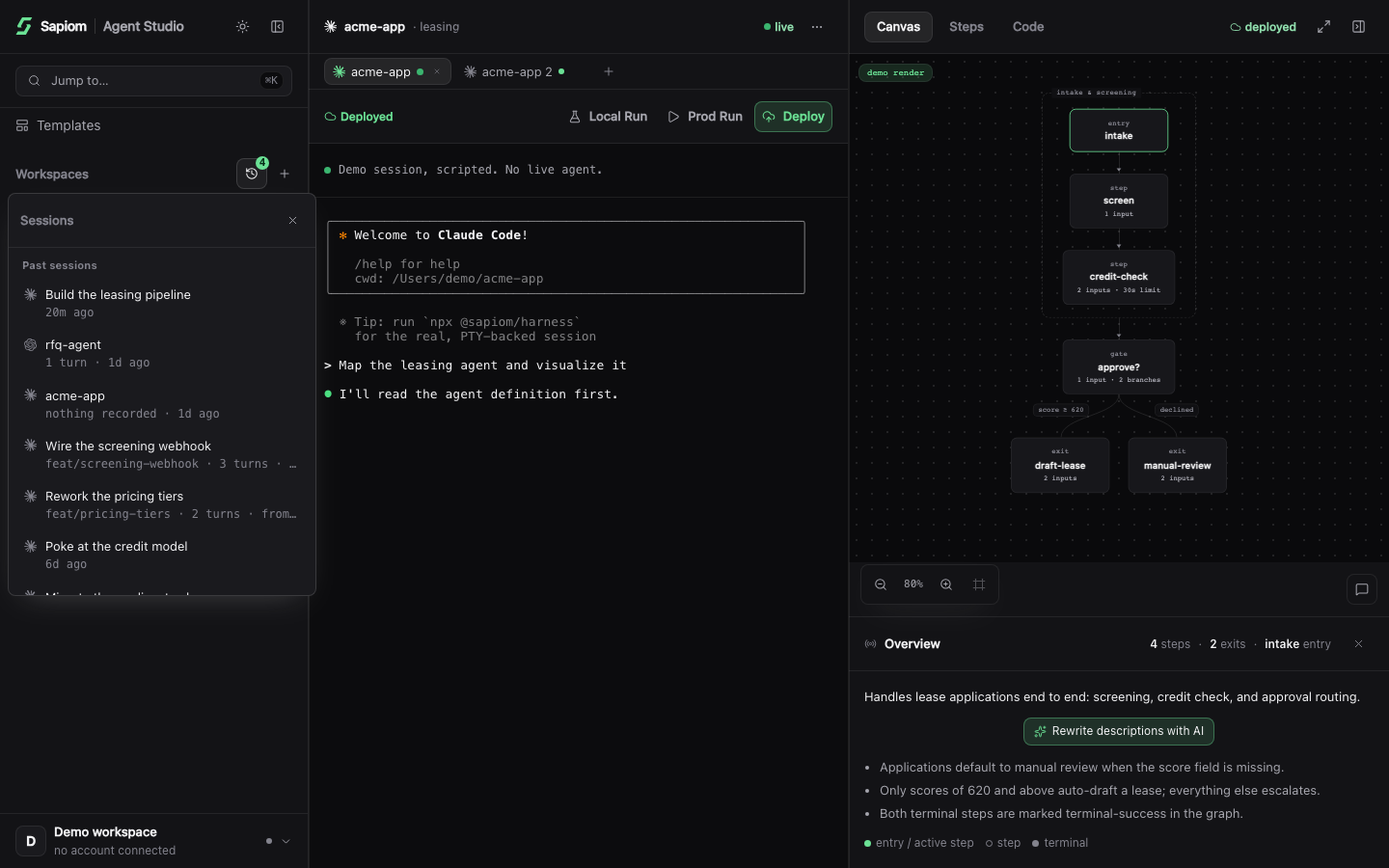
Three selections can differ:
| Selection | What it controls |
|---|---|
| Focused agent or folder | Which tabs and project surfaces the UI shows. |
| Active session tab | Which coding-agent process receives your input. |
| Session binding | Which registered agent project Canvas, Steps, Code, Local Run, Deploy, and Prod Run target. |
Focusing an agent does not silently rebind a different live session. Clicking an agent normally selects one of its recent existing tabs; choose the intended binding explicitly when a workspace contains several projects. A new unbound session may bind automatically to its exact project directory or a nearby descendant project.
The session context file lists the installation-wide project registry, not only projects beneath the current workspace. The current session and bound project are identified separately inside that context.
Finally, running and ready are different. Running means the terminal process is alive. Ready means Studio has detected that it is safe to send programmatic input. You can use the terminal for a trust or login prompt before ready; actions that inject a prompt wait briefly and then show an error if readiness never arrives.
© 2026 Sapiom, Inc.