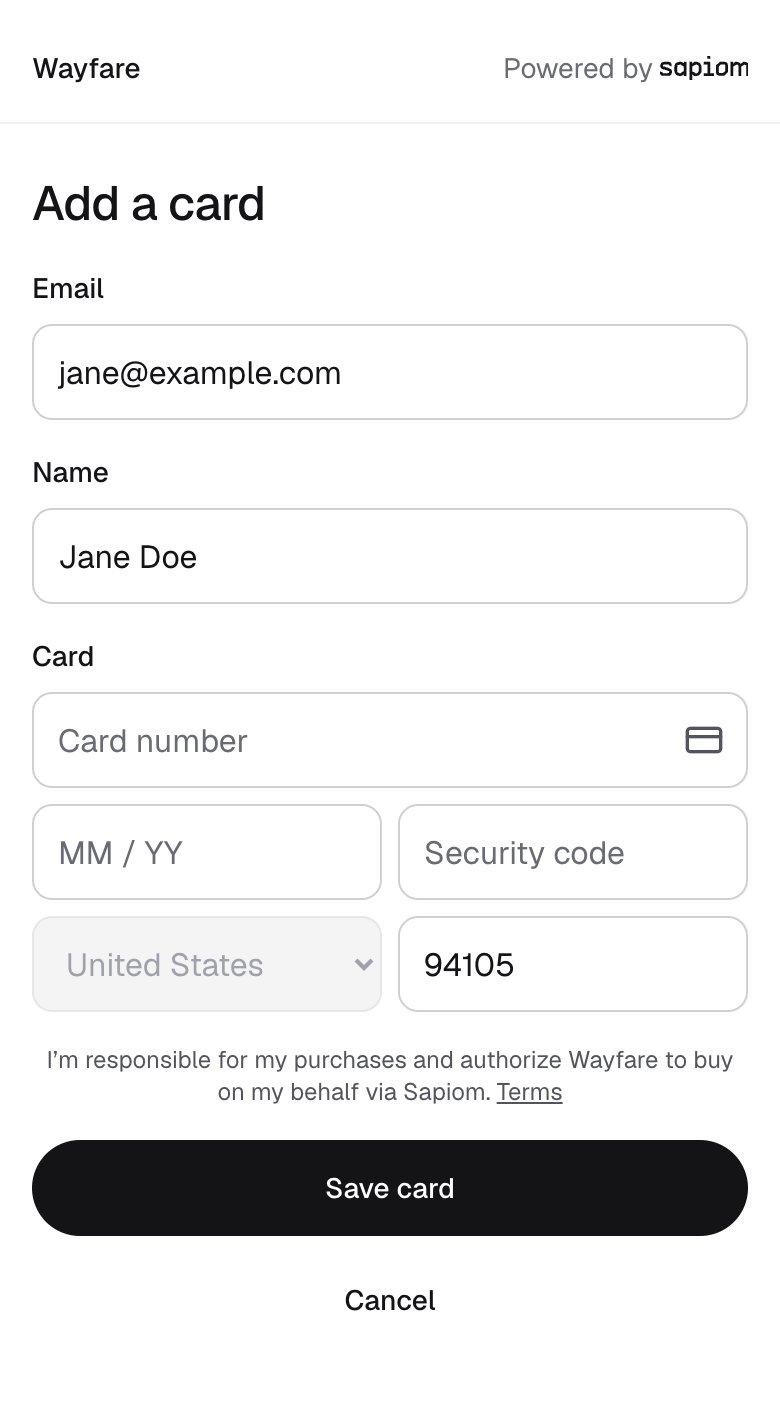
Your user enters their card details and sets their budget. We vault the card. Within a user’s budget, your agent uses Sapiom to buy without the user in the loop. Create a card setup link with the user key.
Add a card page branded for a platform called Wayfare, with email, name, card and billing fields, the consent line and a Save card button

Add a card

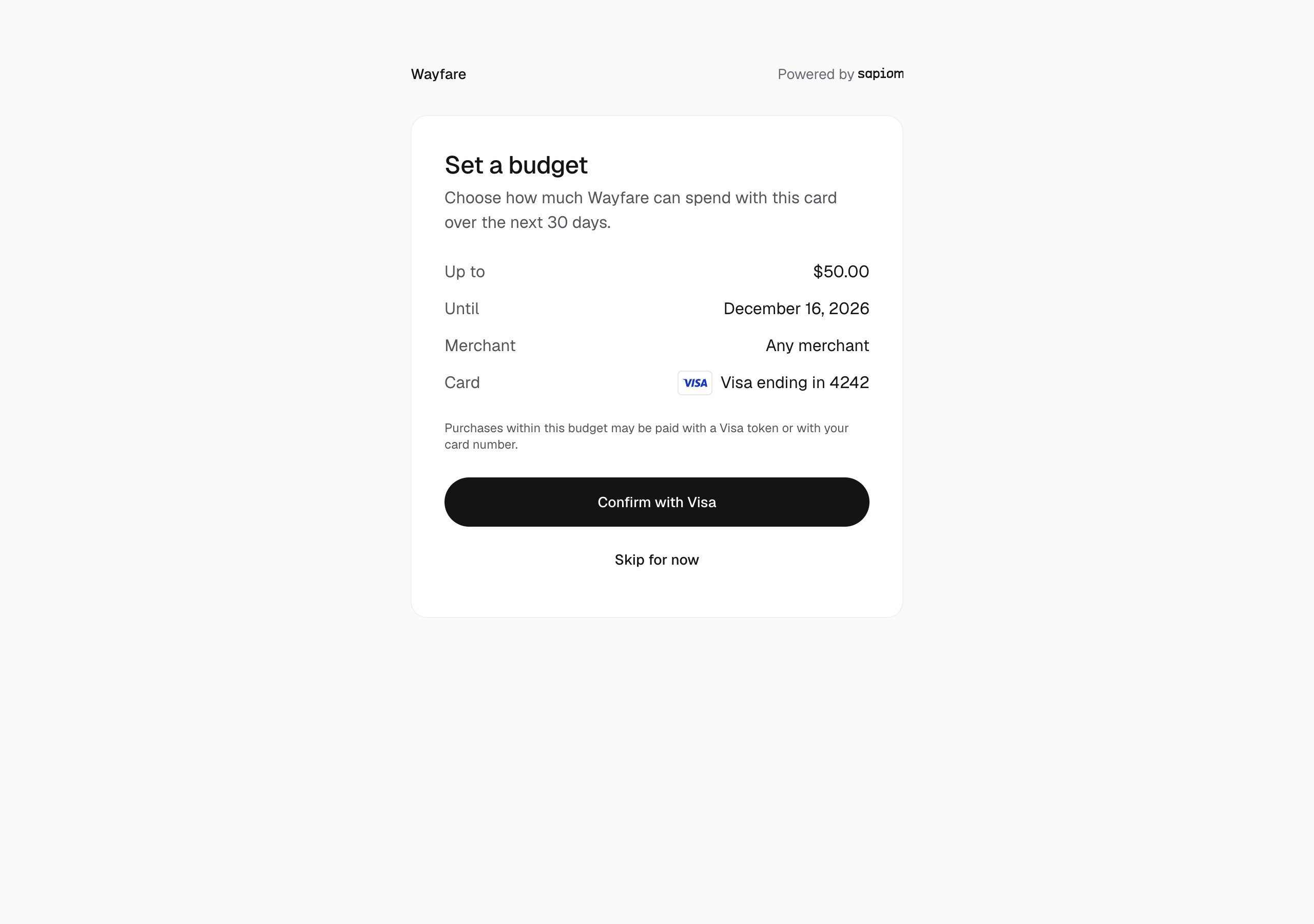
Set a budget page for Wayfare: up to $50.00 for 30 days, any merchant, Visa ending in 4242, with Confirm with Visa and Skip for now

Set a budget, card the network verifies
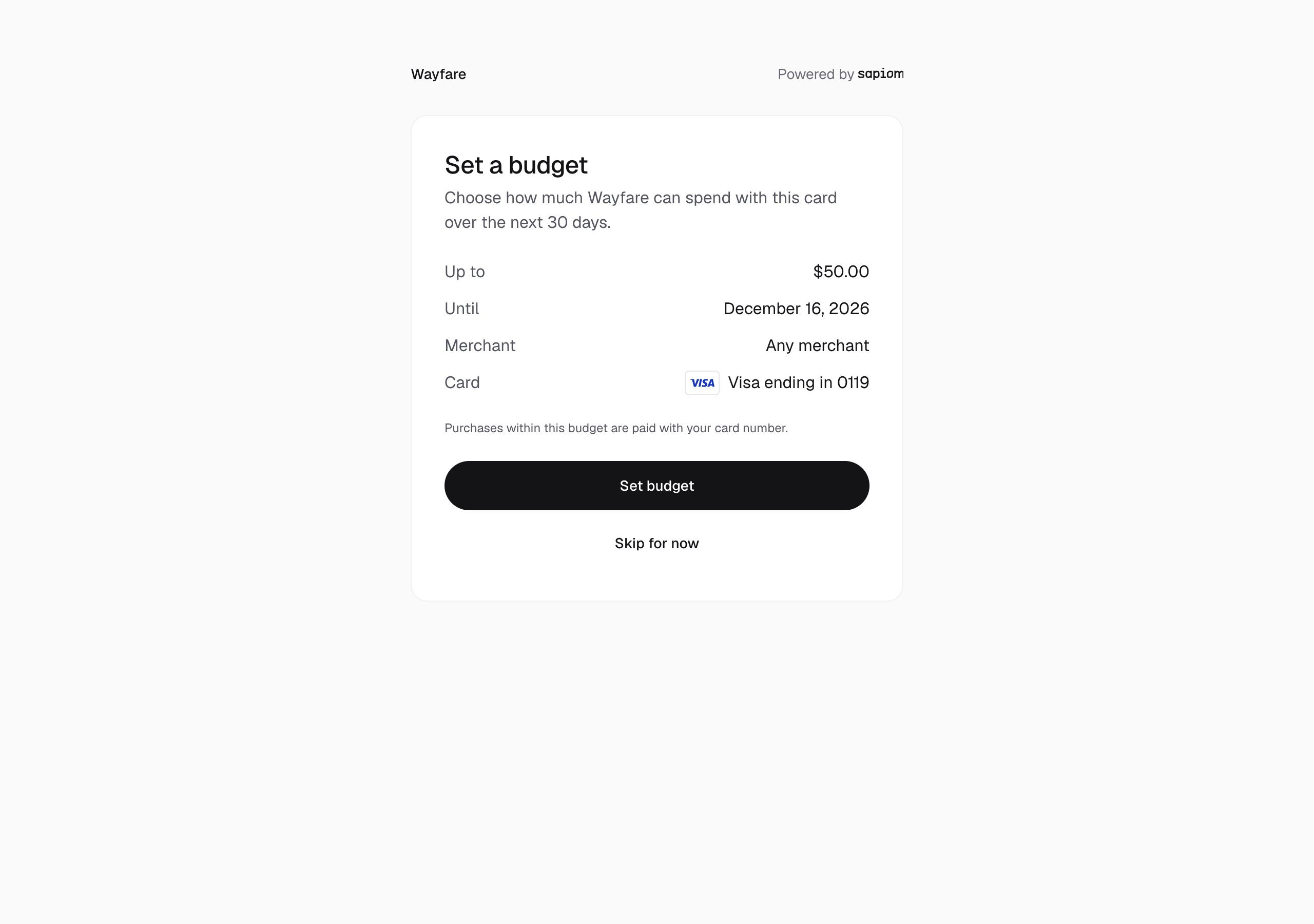
Set a budget page for Wayfare: up to $50.00 for 30 days, any merchant, Visa ending in 0119, paid with the card number, with Set budget and Skip for now

Set a budget, card number only

Confirm the card is ready

Read the setup link. When its status is completed, cardId is the new card:
Check the card’s budget: remaining amount (available), expiry (expiresAt) and status.

Renew a budget

When a budget is spent or ends, create a budget link and send it to the user. The new budget takes effect once the user confirms it.

Without a budget

If the user never sets a budget, each of their purchases asks for their security code.

Manage cards