

Get your platform connected to Sapiom
Get an API key and start making requests. From the API keys view, click “Create platform key.”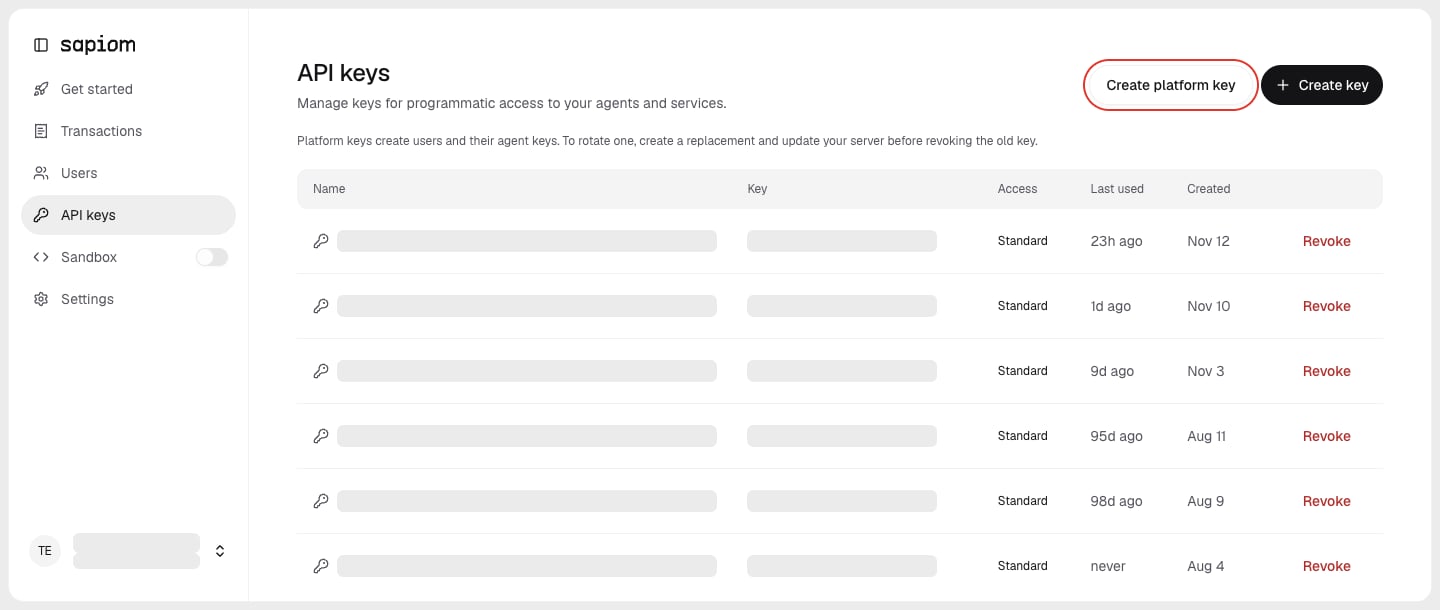
API keys → Create platform key
Give a user a Sapiom ID
Each of your users will need a Sapiom user ID before they can make purchases through Sapiom. After creating the Sapiom user ID, generate and save their user API key. A User API Key is a regular Sapiom API key scoped to one user. Your agent will use this ID and key when making purchases on behalf of your user. Unlike your platform key, you may share this User API key with an agent so that it may take actions on behalf of the user.409 means it exists, so look it up by externalId.
plainKey encrypted.
Connect your agent as that user
One MCP connection per session with the user key, never shared between users. A user key connects to one user’s cards and purchases.connect-sapiom.ts