

Why use a platform key
Your agent shops for many users, and each user’s cards and transactions must stay theirs. Sapiom enforces that with two kinds of key:
A user key can’t create users or keys, read or change spending limits, or reach another user’s data. You get isolation between your users without building it yourself:
- One user per session. An agent working for one user can’t read or charge another user’s card, even if a prompt or a bug tells it to.
- Limits the agent can’t raise. The agent can’t raise a spending limit to get past a denial.
Create a platform key
You need: the owner or admin role in your Sapiom organization. Members don’t see Create platform key.- Sign in and open API keys in the sidebar. To create a sandbox key, turn on Sandbox in the sidebar first.
- Click Create platform key.
- Enter a Name, such as
Production, and an optional Description. Click Create. - Click Reveal key, copy it, and store it in your backend’s secret manager as
SAPIOM_PLATFORM_KEY. Then click Done.
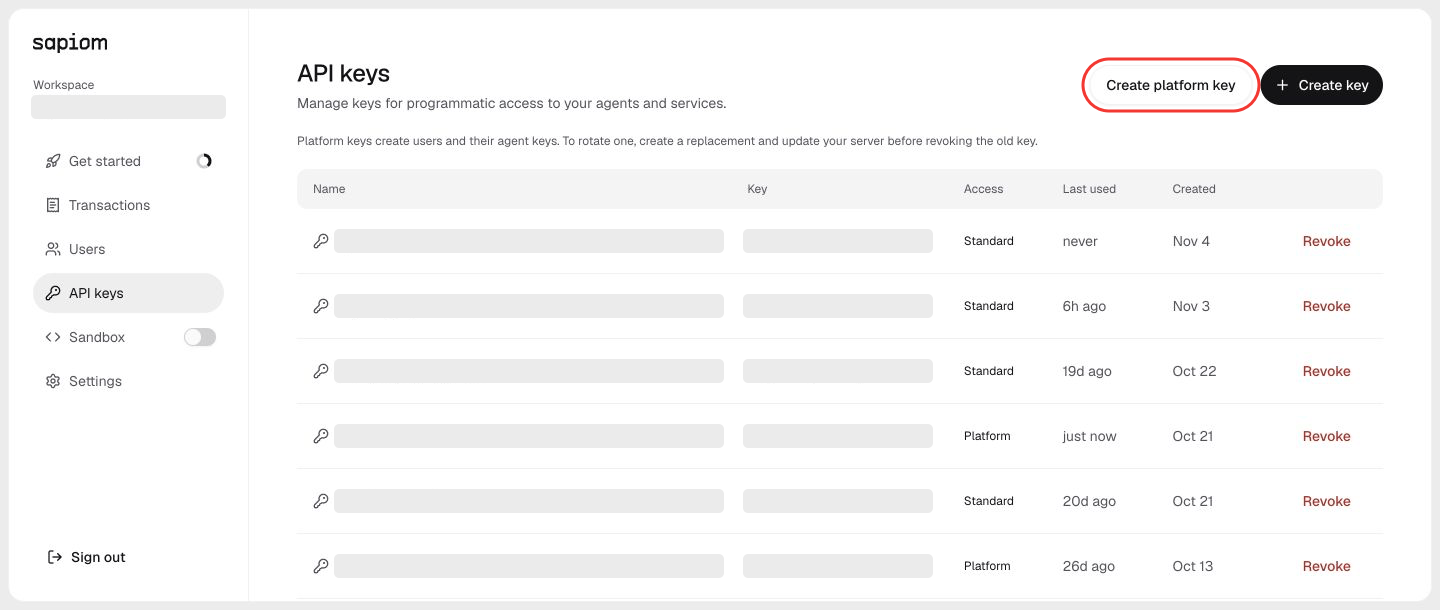
Create a platform key on the API keys page
org.tenants.read, org.tenants.write and org.transactions.write. See Permissions.
You can set up users and cards right away. Before their cards can pay
merchants in production, request access so Sapiom can
enable your account. To build and test first, use the sandbox.
Check the key
List your users:200 response confirms the key can manage users. Next, create a Sapiom user for each of your users.